
Download Datoo – dating app, dating platform, video calls, live streaming, in-app purchases, location-based matches, credit system, gift system, push notifications, Admob
Overview
Datoo is a comprehensive dating platform designed to empower users to launch and manage their own dating business. It functions as a full-featured desktop application that includes tools necessary for building a modern, interactive dating experience. The software supports core functionalities such as video calls, real-time chat, live streaming, and location-based matching, enabling users to connect with others based on proximity.
A built-in credit system allows for monetization through virtual currency, while in-app purchases and subscriptions offer additional revenue streams. Integration with Admob supports advertising, and push notifications help maintain user engagement. The platform is structured to be user-friendly, with a clean interface that simplifies navigation and enhances usability.
It is suitable for entrepreneurs, app developers, and individuals seeking to enter the digital dating space. The software is intended for use in real-world scenarios such as launching a niche dating service, creating a community-based matching platform, or expanding an existing dating business with advanced features. The developer, Datoo, has positioned the product as a complete solution for those aiming to establish a scalable dating ecosystem.
Key Features & Capabilities
- Video Calls – Enables face-to-face interaction between users, enhancing connection quality and trust during the dating process.
- Location-Based Matches – Uses GPS data to connect users with others nearby, increasing the likelihood of real-world meetups.
- Live Streaming – Allows users to broadcast live sessions, fostering real-time engagement and community building.
- Real-Time Chat – Supports instant messaging with no delays, ensuring smooth and responsive conversations.
- Credit System – Introduces a virtual currency model where users can purchase or earn credits for premium interactions.
- Admob Integration – Enables monetization through targeted advertisements within the platform.
- Push Notifications – Keeps users informed about new matches, messages, and platform updates in real time.
- In-App Purchases – Offers a variety of digital goods and services, supporting ongoing revenue generation.
- Gift System – Allows users to send virtual gifts, adding a social and interactive dimension to the dating experience.
- In-App Subscriptions – Provides access to premium features such as enhanced visibility, advanced filters, and ad-free browsing.
These features collectively support the creation of a dynamic, interactive, and monetizable dating environment. The software is designed to streamline the process of setting up a dating service, reducing the need for extensive development work. The combination of real-time communication tools and monetization features makes it ideal for entrepreneurs aiming to launch a branded dating app with minimal technical overhead.
User Interface, Workflow & Performance
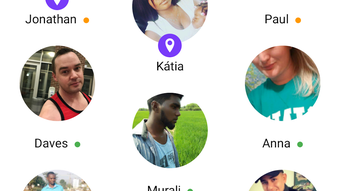
Datoo features a user-friendly interface designed for quick onboarding and intuitive navigation. The layout emphasizes clarity and accessibility, allowing users to move between core functions such as matching, chatting, and streaming with minimal effort. The workflow is structured to support seamless transitions between features, reducing friction during user interactions.
While specific performance benchmarks were not provided, the software is expected to operate efficiently within standard desktop environments. The developer did not specify resource usage details, so actual CPU or RAM behavior remains unknown. Stability during extended use has not been documented.
General software behavior patterns suggest that performance may vary depending on system configuration and background processes. The application’s responsiveness and loading times are likely influenced by network conditions, especially for features involving live streaming and real-time chat. Users are advised to ensure a stable internet connection for optimal functionality.
The desktop nature of the software implies that it may be used in conjunction with mobile app development tools, though this was not confirmed.
Compatibility & System Requirements
Datoo is compatible with both Windows and Mac operating systems, making it accessible to a broad range of users across different platforms. The software version is listed as 1.0, indicating it is a foundational release. The installation size is 500 MB, which suggests a moderate footprint for a feature-rich application.
Exact system requirements were not listed, so users should verify whether their devices meet minimum specifications for smooth operation. The developer did not provide information on processor speed, RAM, or disk space beyond the total file size. Compatibility with older OS versions or specific hardware configurations remains unclear.
Users are encouraged to consult official documentation for detailed setup instructions. Platform compatibility information is limited, and no mention was made of support for Linux or other operating systems.
Pros and Cons
Pros
- Comprehensive feature set tailored for launching a dating business
- Supports multiple monetization methods including in-app purchases and Admob
- Includes real-time communication tools such as video calls and live streaming
- User-friendly interface enhances onboarding and daily use
- Location-based matching improves relevance and connection quality
- Offers both free and premium user experiences through subscriptions and gifts
Cons
- Price point of $299 may be high for individual users or small startups
- Exact system requirements were not specified
- Performance under heavy load or prolonged use was not documented
- Limited compatibility information beyond Windows and Mac
- No details on update frequency or long-term support
FAQ Section
Is Datoo compatible with Windows and Mac?
Yes, Datoo is designed to run on both Windows and Mac operating systems.
Can I use Datoo offline?
The software requires an active internet connection for full functionality, particularly for features like real-time chat, video calls, and live streaming.
Is the software secure?
While the software includes standard features like push notifications and in-app purchases, specific security measures or data encryption protocols were not detailed in the provided information.
How often are updates released?
Information regarding update frequency or maintenance schedule was not provided by the developer.
What type of license does Datoo use?
The licensing model was not specified in the available documentation.
Final Thoughts + CTA
Datoo presents a robust and feature-rich solution for individuals and businesses aiming to establish a modern dating platform. With its integration of video calls, live streaming, location-based matching, and multiple monetization tools, it offers a complete toolkit for launching a competitive dating service. The user-friendly interface simplifies navigation and enhances user retention, while the inclusion of premium features like gifts and subscriptions supports sustainable revenue generation.
Although the price point is significant and some technical details remain unspecified, the software’s breadth of capabilities makes it a compelling option for entrepreneurs in the digital dating space. For those seeking a secure, scalable, and fully functional desktop application to build their own dating business, Datoo delivers a strong foundation. Download Datoo now to start building your own dating platform today.





.png)

